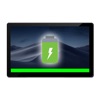
Battery HUD- On Screen Display
by Solaz Dazen srl
v1.2
·
Updated 4 months ago
·
0 Bytes
·
Released Jan 2019
Key Features
🤖
AI Powered
💻
Code Editor
▪️
Menu Bar App
🔋
Battery / Power
About Battery HUD- On Screen Display
Have the battery level displayed on your screen at all times!
See the exact charge level with a quick glance at the edge of the screen.
° adjustable position. Choose between Bottom, Left, Right or Top edges of the screen. Find the perfect placement without distracting from your work!
° adjustable thickness. Set the precise thickness of the battery indicator to match your desktop appearance. You can set it as low as 1 pixel!
° adjustable low battery thickness. Choose a specific thickness for when the battery is almost empty so you can clearly see it.
° reversible direction. Want to see the indicator go from left to right while the battery discharges? No problem!
° adjustable color. Choose any indicator color you want to match your desktop!
º adjustable low batter color. Choose a specific color for when the battery is almost empty.
º adjustable opacity. Choose the perfect amount of transparency.
° detailed battery information. Quickly view information such as battery cycle count.
Get this app today and keep an eye on your battery charge at all times!
F.A.Q.
Q: Why is the Top edge position below the system menu bar?
A: To conform with the Apple Human Interface Guidelines and make sure the menubar elements are visible at all times.